With OneGold, You’re in Control, Not the Market

With Limit Orders, You Never Have to Miss Another Market Movement

With OneGold’s limit order feature, you can create a buy or sell order that will automatically execute when spot price reaches a level that you designate. Limit orders can execute 24/7, even when the markets are closed.

  • Never Miss A Market Movement

    “Set it and forget it” automatic transactions.

  • Buy or Sell Anytime

    Even when the market is closed.

  • Transact How You Want

    Choose a euro amount or number of ounces.

Here’s How It Works

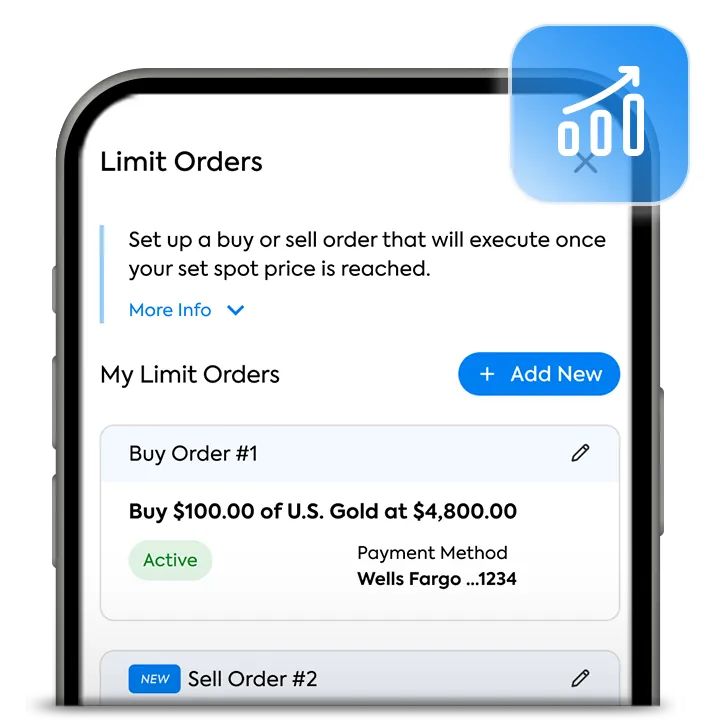
  • OneGold app showing the Limit Orders screen

    Access Limit Orders from your Account

    If you don’t have an account, set up one for free.

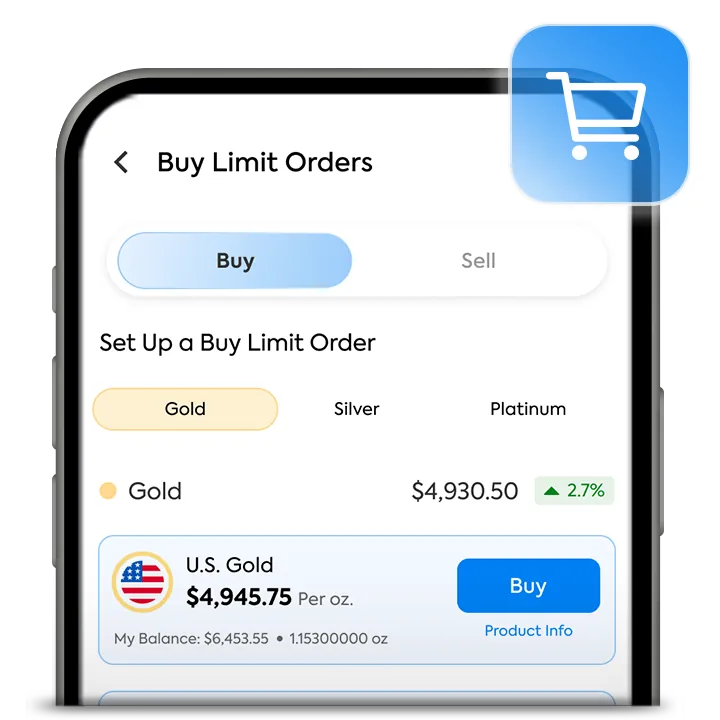
  • Creating a buy or sell limit order in the OneGold app

    Create a Buy or Sell Limit Order

    Select a product, enter your target spot price, order amount, and payment method.

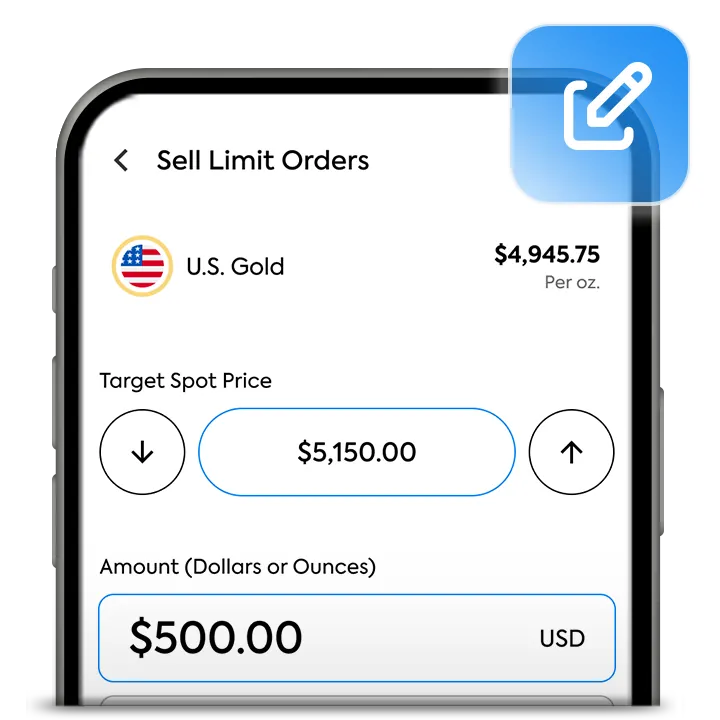
  • Managing limit orders in the OneGold app

    Manage Your Limit Orders

    Review, edit, or delete a limit order at any time until the order executes.

Get Started With Limit Orders

Limit Order FAQ’s

Are there fees to use OneGold's limit order feature?

No, there are no additional fees when using OneGold's limit order feature. OneGold's standard buy and sell premiums will apply when and if your limit order executes.

What payment methods can I use when placing a limit order?

You may create a buy limit order using your OneGold cash balance, or a linked bank account. There are no service fees when using your OneGold cash balance or a linked bank account. If you choose your OneGold cash balance as your payment method for a buy limit order, you must have a sufficient cash balance for your buy limit order to execute.

When sell limit orders are executed, the proceeds of your sell order will automatically be deposited into your OneGold cash balance.

Can I edit a limit order after it's been created?

Yes. You can edit or remove a limit order from the limit order dashboard at any time, as long as your limit order has not executed. You are not able to edit or cancel a limit order that has already executed.

What is "Target Spot Price"?

When creating a limit order, you will need to designate a target spot price, which is the spot price at which your order will execute. Buy limit orders will execute when spot price falls to or below the target spot price that you designate. Sell limit orders will execute when spot price rises to or above the target spot price that you designate.

For example, if you create a buy limit order for 10 ounces of Switzerland Gold with a target spot price of £1,200, the order will execute and buy 10 ounces of Switzerland Gold when spot falls to £1,200 or lower. If you create a sell limit order for 10 ounces of Switzerland Gold with a target spot price of £2,500, the order will execute and liquidate 10 ounces of Switzerland Gold when spot price rises to, or above, £2,500.

How do I know when my limit order has executed?

You will receive an email confirmation once your limit order has executed. You may also confirm the status of your limit order(s) from the limit order dashboard. Limit orders that are in "Pending" status have not executed and can still be edited or canceled. Limit orders that are in "Executed" status have executed and cannot be edited or canceled.